
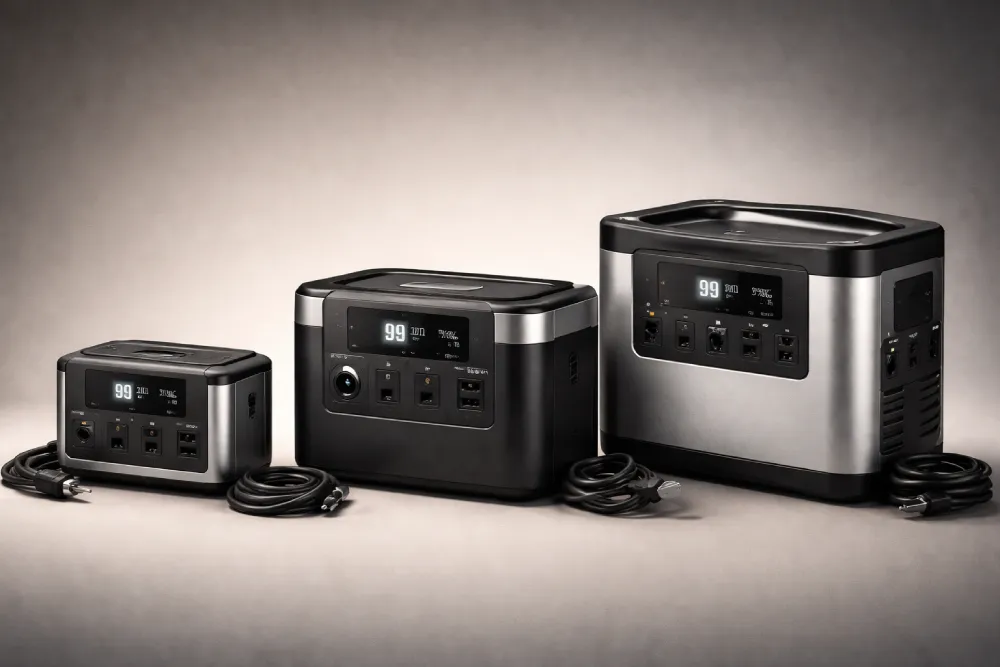
You’re wasting money if you buy a portable power station without matching it to your actual needs. Too small and it dies quickly; too large and you’re hauling dead weight. Start by calculating your devices’ wattage and daily runtime, then add a 150% buffer for efficiency losses. A 300Wh unit handles weekend camping, while 2000Wh covers essential home backup. Pick the smallest model that covers your worst-case scenario. The details on sizing frameworks and common pitfalls reveal where most people go wrong.
Why Choosing the Right Size Matters
How much money have you wasted on tools you barely use? The same mistake happens with power stations all the time.
Buy too small, and you’re stuck with a device that can’t run your essentials or dies after an hour. Buy too large, and you’re lugging around dead weight while overpaying for capacity you’ll never use.
Also Read
The right size matches your actual needs—nothing more, nothing less. It’s the difference between a reliable backup system and an expensive paperweight gathering dust in your garage.
Getting this decision right saves you hundreds of dollars and ensures your power station actually solves problems instead of creating frustration. That’s why sizing matters.
Watts vs Watt-Hours (Simple Explanation)
Confusion between watts and watt-hours kills most sizing decisions—and it’s exactly why so many people end up with the wrong power station.
Watts (W) measure instant power delivery. They tell you what you can run right now. A 1000W power station means you can operate devices drawing up to 1000 watts simultaneously.
Watt-hours (Wh) measure total stored energy. They tell you how long devices will run. A 1000Wh battery powering a 100W device lasts roughly 10 hours.
Think of it simply: watts are your water flow speed; watt-hours are your tank size. You need both numbers—one determines capability, the other determines duration. Without understanding this distinction, you’ll either buy insufficient capacity or overspend on power you don’t need.
How to Calculate Your Power Needs
Now that you understand the difference between watts and watt-hours, you’re ready to do the math that actually determines what size power station you need.
Here’s the formula: Energy needed (Wh) = Device Watts × Hours of Use****
Let’s say you’re camping with a laptop (60W) that you’ll use for 5 hours. That’s 60 × 5 = 300Wh minimum.
But don’t stop there. Add a 150% buffer for inverter losses and efficiency drops. So you’d actually want a 36060Wh power station to be safe.
Now list every device you’ll power simultaneously—phones, lights, fans—and add their wattages together. That’s your required power output. Then multiply each device’s wattage by its daily runtime to calculate total energy consumption.
This simple calculation eliminates guesswork and prevents costly mistakes.
Portable Power Station Size Chart (Quick Guide)
All those calculations make sense in theory, but you probably want a quick visual reference instead of running numbers every time.
Here’s what you’re actually working with:
| Capacity | Best For |
|---|---|
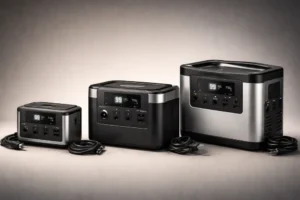
| 150 – 300Wh | Phones, lights, camping trips |
| 700 – 1500Wh | Laptops, fans, weekend getaways |
| 1500 -3000Wh+ | Fridges, home backup, RVs |
This chart strips away the confusion. You’re not memorizing specs—you’re matching your devices to realistic capacity buckets. A 300Wh unit handles weekend camping. A 2000Wh station covers essential home backup during outages. Anything over 3000Wh gives you serious flexibility for multiple appliances or extended use.
Pick the category matching your actual needs, then add that 15 – 20% buffer you learned earlier. You’re done.
Best Size for Different Use Cases
The chart gives you a starting point, but your actual needs depend on where and how you’ll use your power station. A weekend camping trip requires different capacity than a home backup system. You’re powering a laptop and phone for three days? You’re looking at 500000Wh.
Running your fridge during an outage? You’ll need 1500000Wh minimum, plus enough wattage to handle the startup surge. An RV demands sustained power for multiple appliances—aim for 2000000Wh.
Emergency preparedness means sizing for worst-case scenarios, not average use. The key is matching your power station to your specific devices, expected runtime, and location. This prevents buying too small and wasting money on excess capacity.
How Long Will a Power Station Last?
How long your power station actually lasts depends on two things: how much energy you’ve stored and how much power you’re drawing from it.
Use this formula: Runtime (hours) = Wh ÷ W × 0.85****
Here’s a practical example: A 1000Wh station powering a 100W device runs approximately 8.5 hours. But if you’re running multiple devices simultaneously, that runtime shrinks dramatically. A laptop, lights, and phone charger together might draw 150W, cutting your time to around 5.5 hours.
Common Mistakes to Avoid
Most people mess up portable power station sizing in predictable ways—and they’re easy to fix once you know what to watch for.
- Fixating on capacity alone You’ll buy a huge battery that can’t actually power your devices because the watt output is too low. Big Wh doesn’t equal enough watts for simultaneous operation.
- Forgetting surge power Fridges and power tools need 3x their running wattage to start. If your station’s rated watts fall short, nothing happens when you flip the switch.
- Skipping the 150% buffer You’ll drain the battery completely, which damages lifespan and leaves you stranded. Always calculate for 85% usable capacity, not the full rated number.
Pro Tips for Choosing the Right Size
Once you’ve nailed down your capacity and wattage needs, a few strategic moves will lock in the right choice and help you avoid buyer’s remorse.
First, prioritize LiFePO4 batteries—they last 4,000+ cycles versus 300 – 500 for lithium-ion. Next, verify the inverter wattage exceeds your largest device’s surge power. Check port variety: AC outlets, USB-C PD, and 12V DC give you flexibility.
Compare charging speeds across AC, car, and solar options. Finally, test weight and portability against your actual use case.
| Consideration | Impact | Action |
|---|---|---|
| Battery type | Longevity | Choose LiFePO4 |
| Inverter rating | Device compatibility | Match surge power |
| Port variety | Device flexibility | Verify all types |
| Charging method | Recharge speed | Pick fastest option |
| Weight/size | Portability | Match your trips |
Final Recommendation: How to Pick Yours
After working through watts, watt-hours, surge power, and your specific use case, you’re ready to make a decision—and it doesn’t have to be complicated.
Here’s your final framework:
- Calculate your actual needs Add up device wattages and multiply by hours of use, then bump it up 150% for losses and safety margin.
- Match worst-case scenarios Don’t size for average days; prepare for extended outages or multi-day trips when you’ll need sustained power.
- Prioritize your non-negotiables Decide what matters most: portability, capacity, charging speed, or output options. You’ll rarely get all four perfectly balanced.
Pick the smallest model that covers your scenario. You’ll save money and gain a portable solution you’ll actually use.
Frequently Asked Questions
Can I Use a Power Station While It’s Charging From Solar Panels?
Yes, you can use your power station while it’s charging from solar panels. However, you’ll drain the battery faster than it’s recharging, so you won’t build capacity simultaneously.
How Do I Know if a Power Station Has Enough Surge Power for My Devices?
Don’t judge a book by its cover—check your power station’s surge wattage rating against your device’s startup requirement. You’ll find surge specs in the manual; if your fridge needs 800W to start but your station handles only 600W, it won’t power on.
What’s the Difference Between Lifepo4 and Lithium-Ion Battery Types?
LiFePO4 batteries last longer—around 4,000 cycles versus lithium-ion’s 1,000-2,000 cycles—making them more durable for frequent use. You’ll pay more upfront, but you’re getting better longevity and reliability.
Will My Power Station Lose Capacity if I Don’t Use It for Months?
Will you accept some natural battery drain? Yes—your power station’ll lose 2 – 5% monthly when idle. You’re fine storing it for months, but charge it every 3 – 6 months to prevent deep discharge damage.
Can I Connect Multiple Power Stations Together to Increase Total Capacity?
You can’t directly connect most portable power stations together. However, you can chain compatible models with parallel cables, though you’ll need matching specifications and proper connectors to avoid damage.
Conclusion
You’ve now got the tools to make a smart choice. Consider Sarah, a camper who initially bought a 500Wh station thinking it’d power her fridge for a weekend—it lasted six hours. She then sized correctly using our formula and chose a 2000Wh unit, matching her actual needs. Don’t be Sarah’s first mistake. Calculate your watts and watt-hours, factor in surge power, and you’ll confidently select the right-sized station every time.